Plan Management and Renewal Guide
Use this guide to find plan documents, review announcements, update financed-vehicle ownership details, terminate a plan, and manage renewal actions in the GDC App.
For plan lifecycle rules, see Enrollment, Quotes, and Plan Lifecycle. For payment rules, see Pricing, Payments, and Pledge.
How mutuality works in the app
The GDC App includes a How it works area where members can review mutuality explanations, repair journey materials, and related educational content.
Find mutuality documents
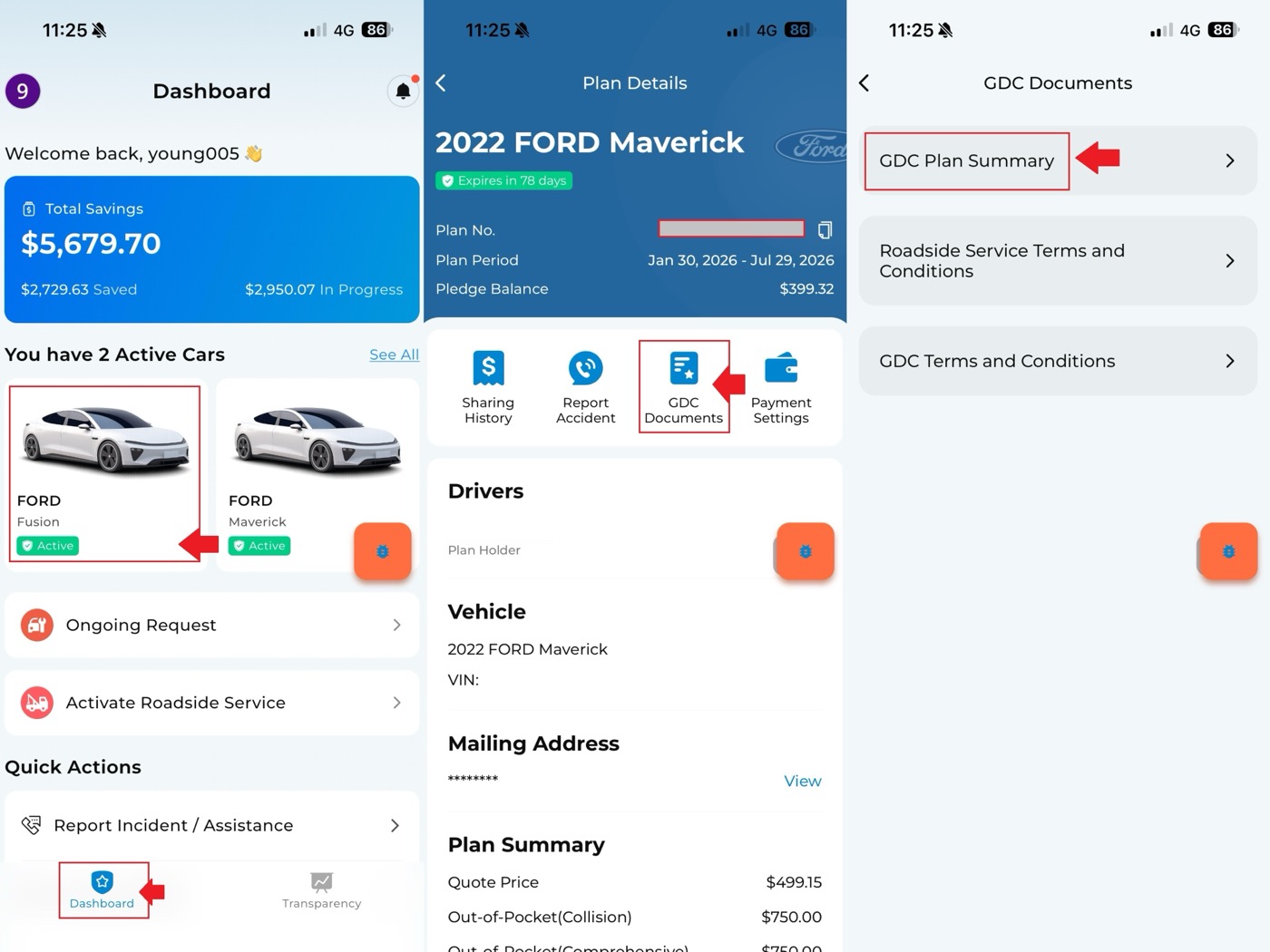
To view or download mutuality documents:
- Open the GDC App.
- On the Dashboard, select the mutuality plan.
- Open Plan Details.
- Select Mutuality Documents.
The GDC Plan Summary can show plan information such as effective date, selected items, and price.
Update financed vehicle ownership
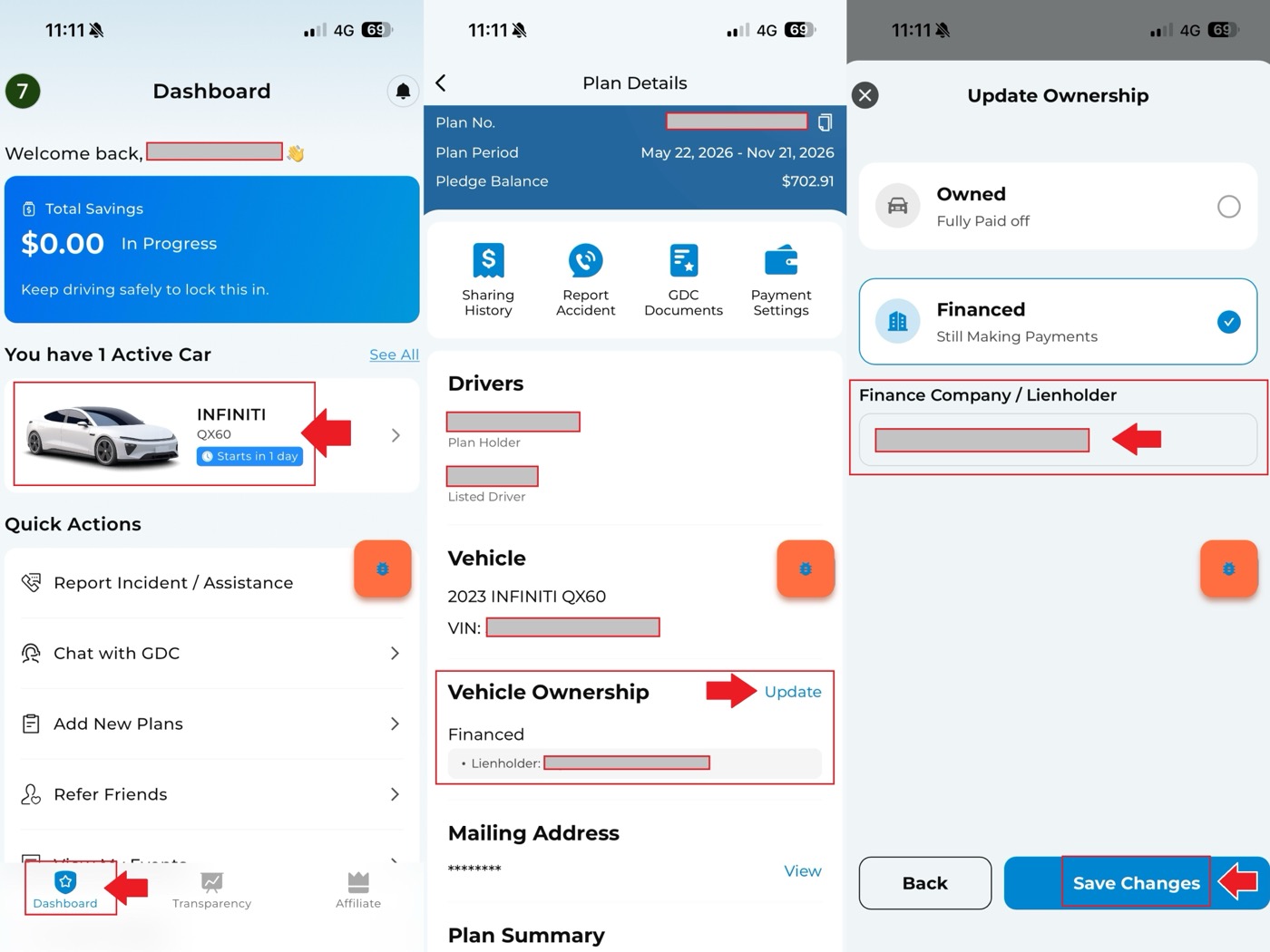
For a financed vehicle, you can update ownership or lienholder information:
- On the Dashboard, select the mutuality plan.
- Open Plan Details.
- Tap Vehicle Ownership.
- Edit the lienholder or finance company information.
- Tap Save Changes.
- Check the GDC mutuality notice or plan summary after the update.
Review previous announcements
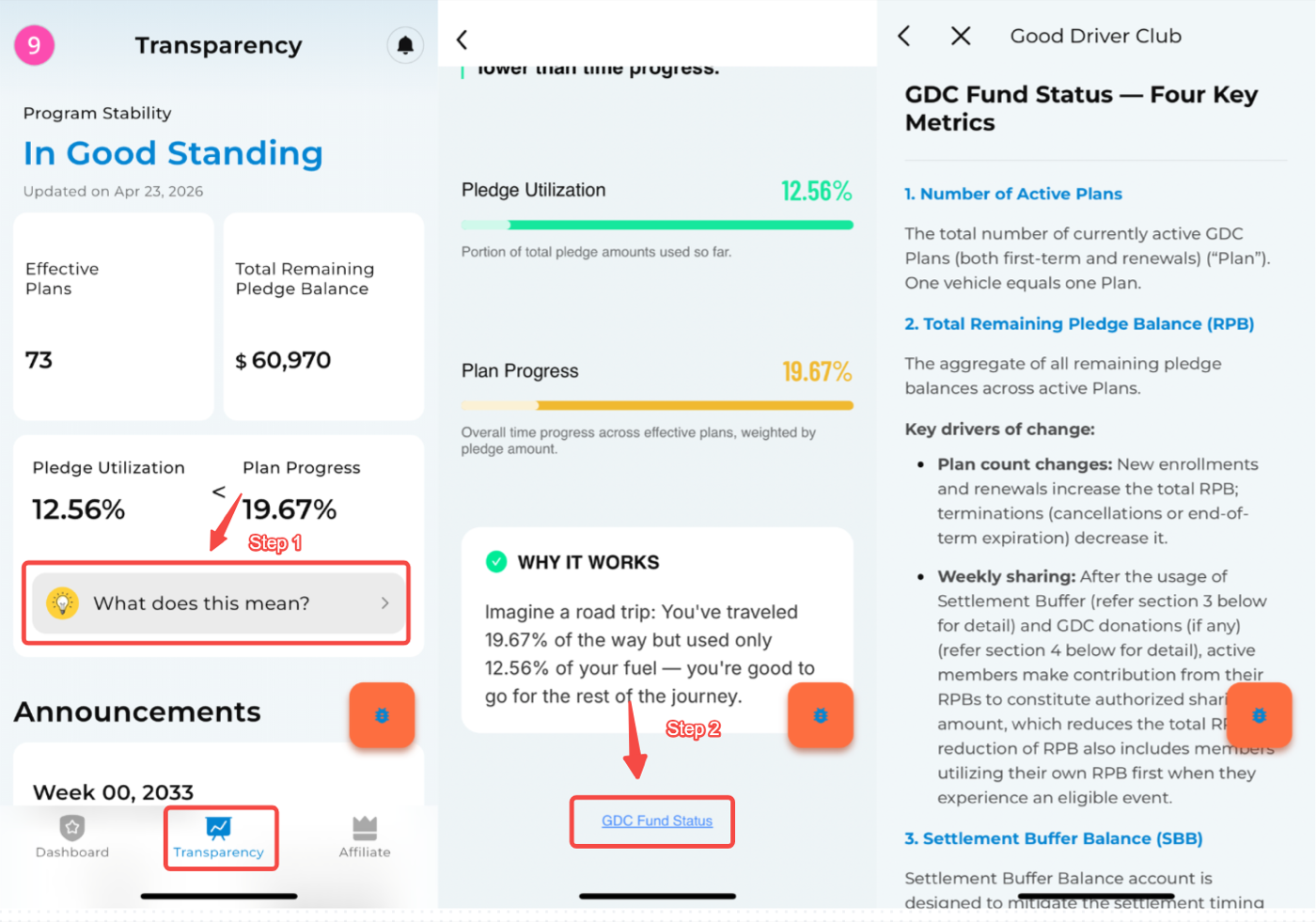
To view previous sharing announcements:
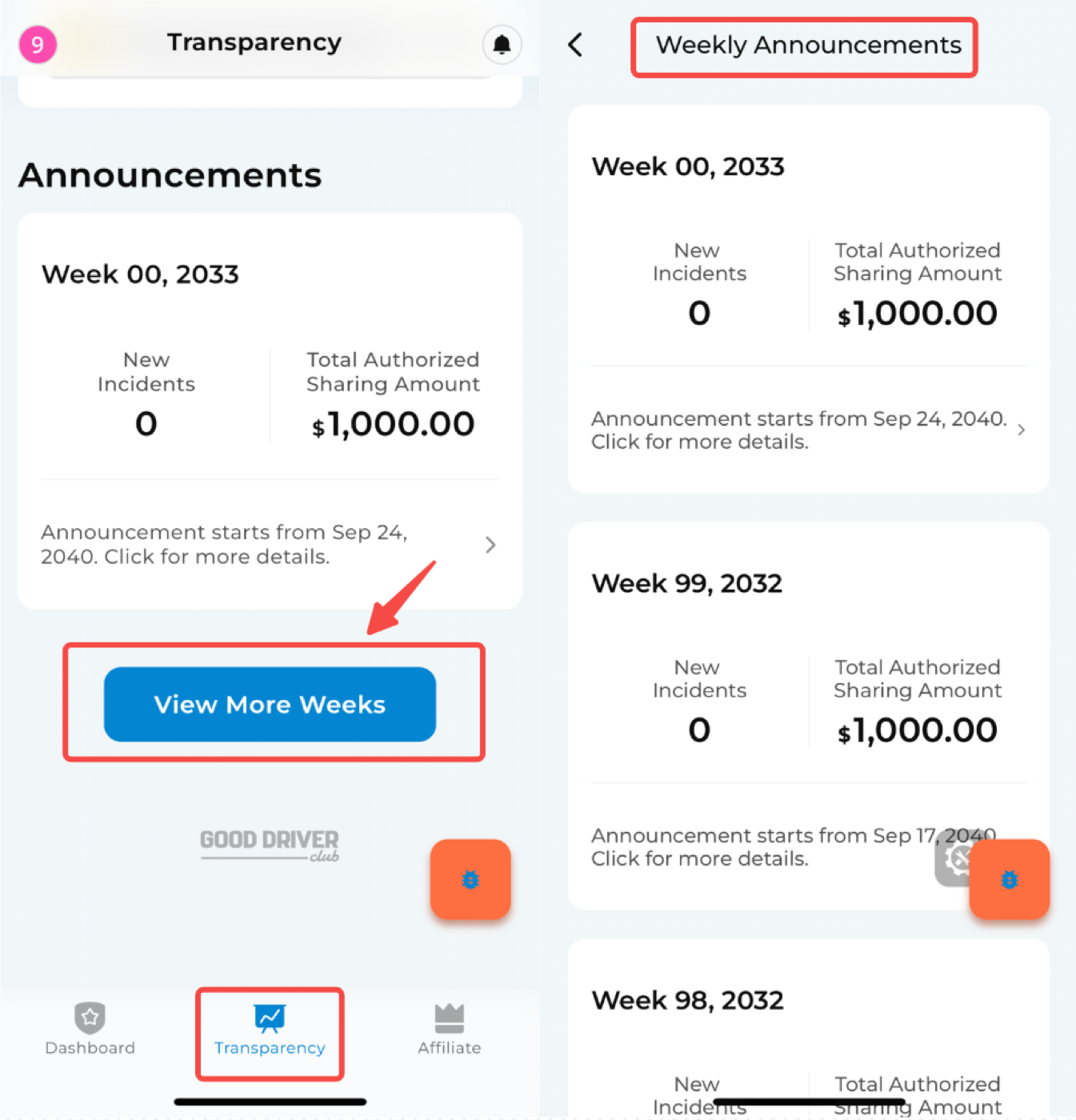
- Open Transparency.
- Tap View More.
- Review previous weekly announcements.
Terminate or cancel a plan
If you want to terminate a plan:
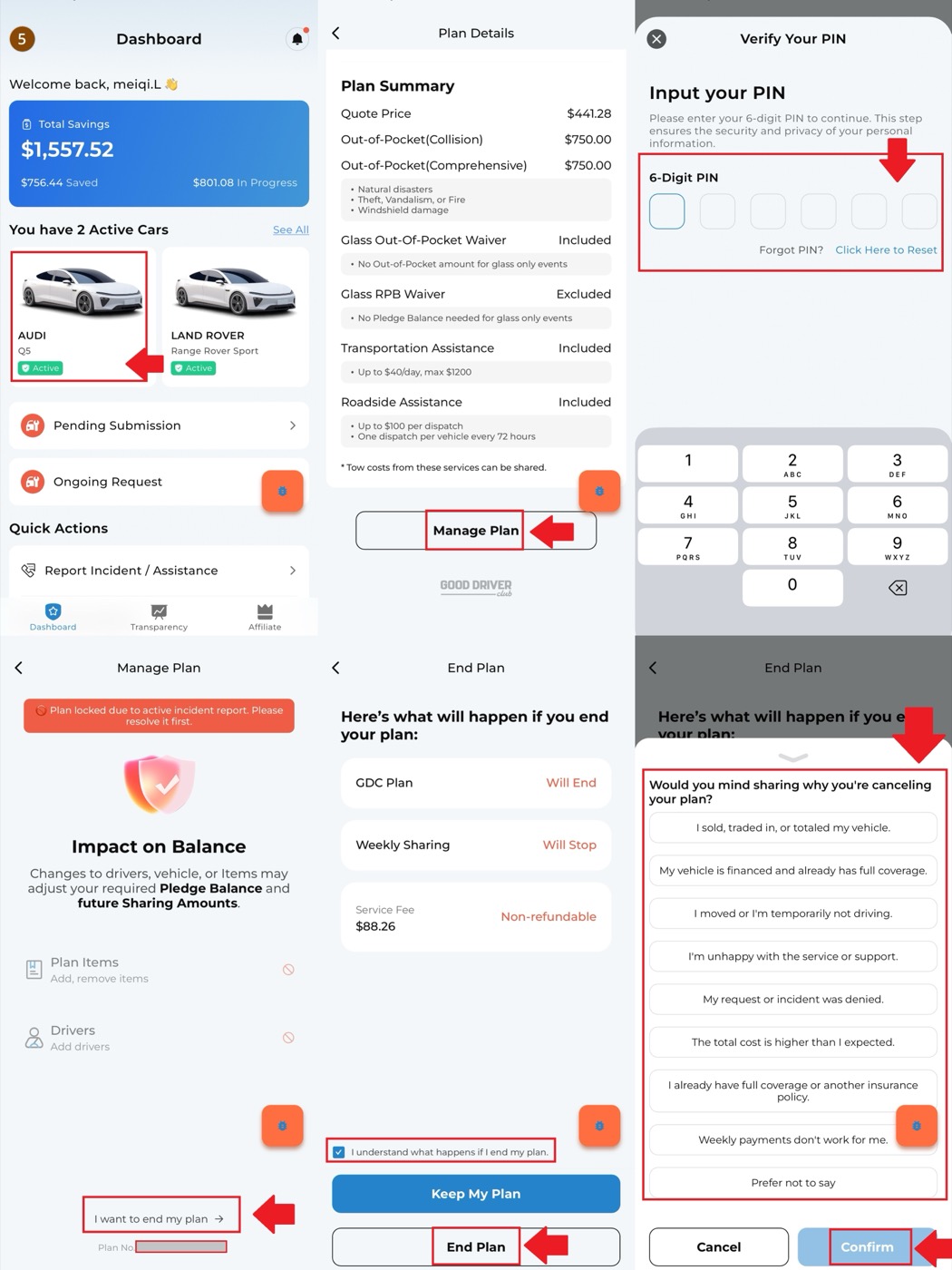
- Go to the Dashboard.
- Select the plan you want to terminate.
- Open Plan Details.
- Tap Manage Plan.
- Enter the PIN.
- On the Manage Plan page, select the plan termination option.
- Follow the prompts carefully before confirming.
Change renewal plan items
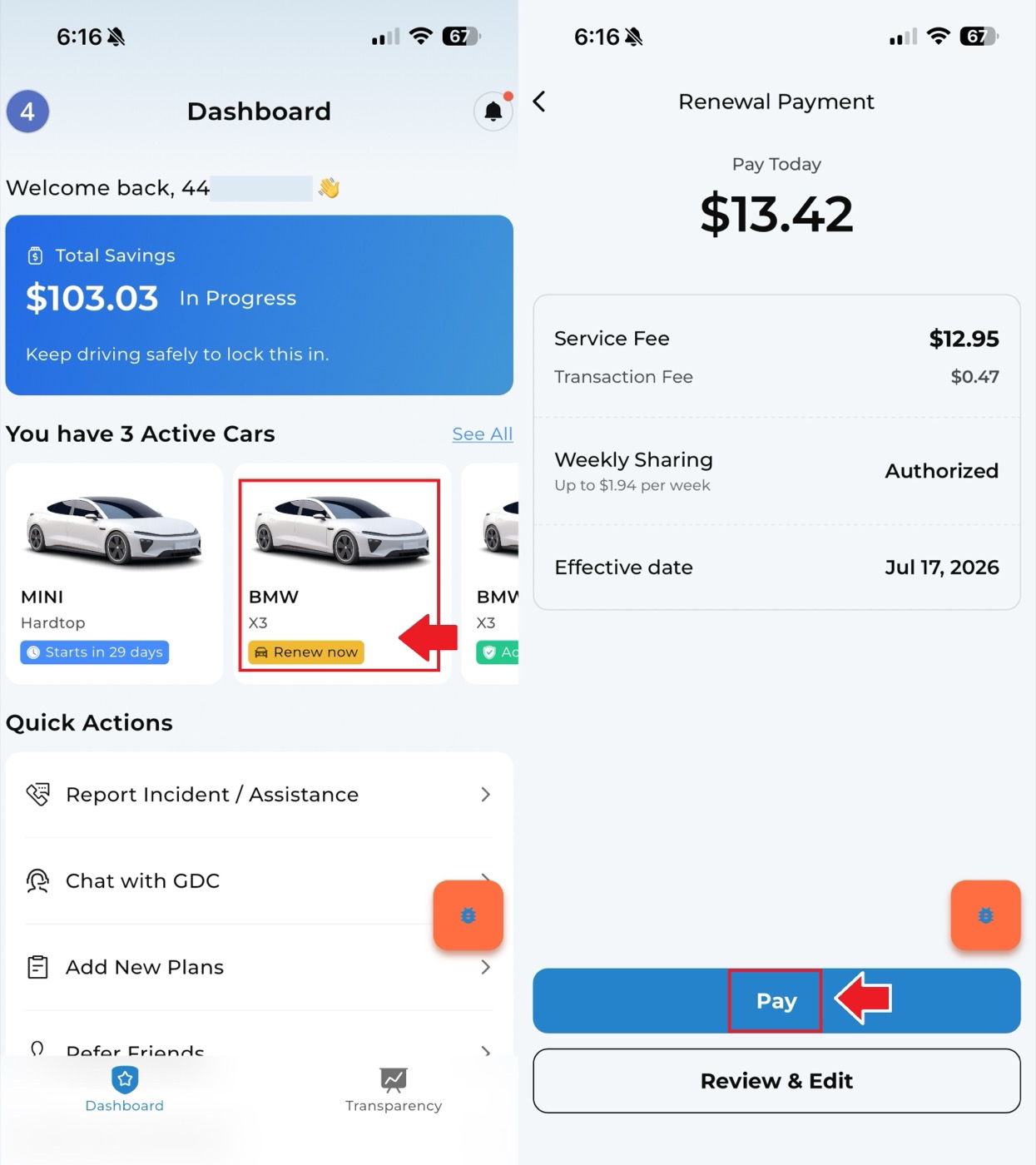
During renewal, you can adjust renewal plan items without canceling automatic payment:
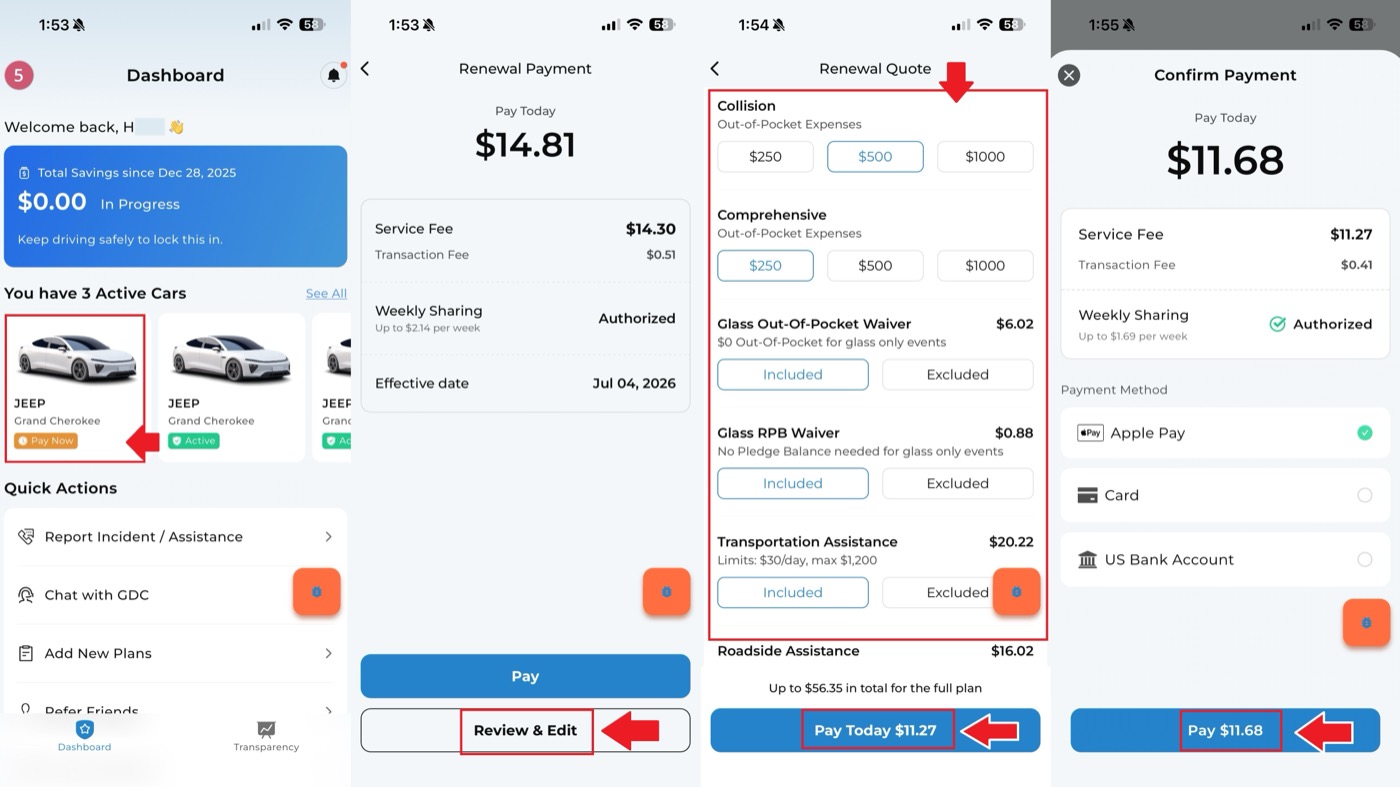
- On the Dashboard, select the renewal plan.
- On the renewal payment page, review the quote summary.
- Use View and Edit to adjust OOP or optional items.
- Confirm the updated renewal details.
Disable auto-renewal
To disable auto-renewal:
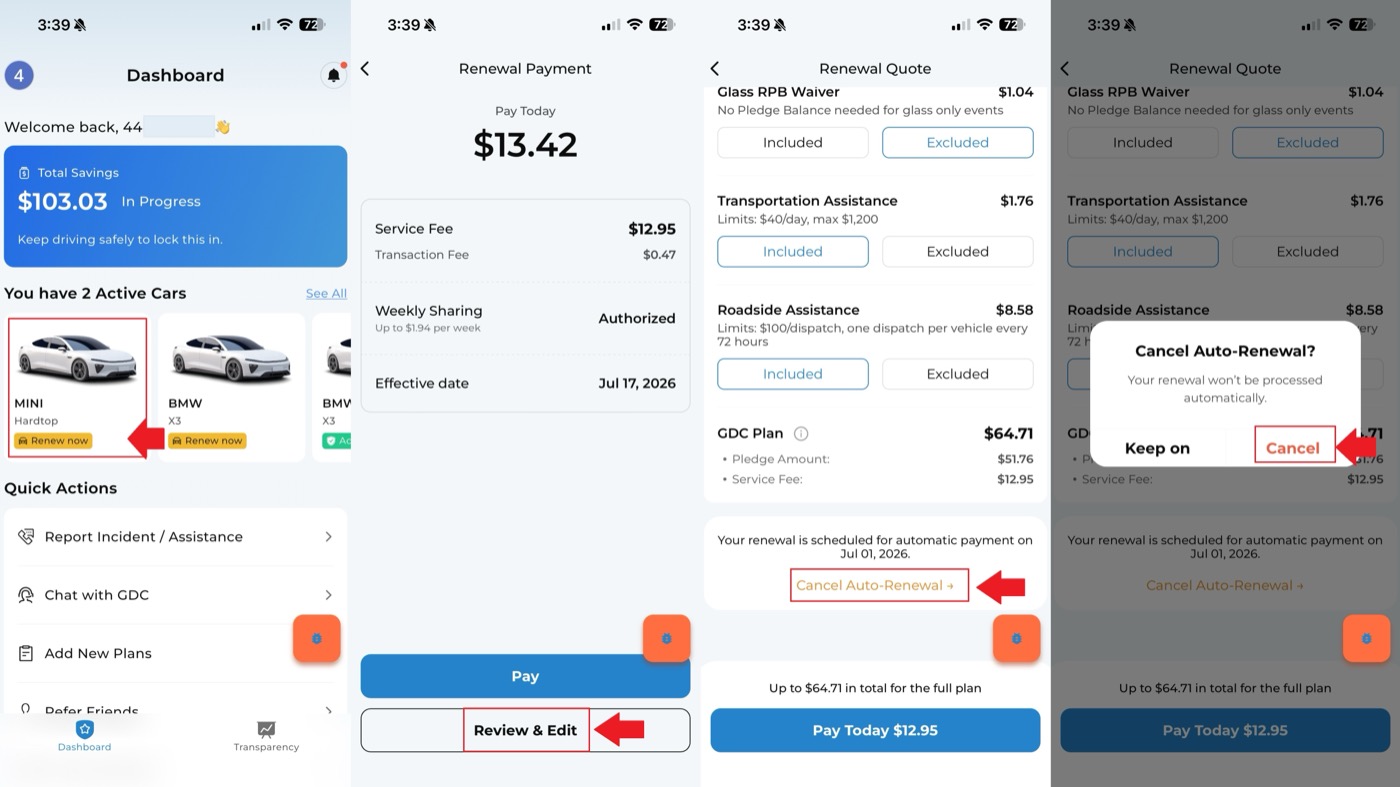
- On the Dashboard, select the renewal plan.
- On the renewal payment page, tap View and Edit.
- Tap Disable Auto-Renewal.
- Confirm the cancellation of auto-renewal.
Manually pay a renewal plan
If auto-renewal is disabled and you still want to renew manually:
- Go to the Dashboard.
- Select the renewal plan.
- Review the quote summary on the renewal payment page.
- Tap Pay to manually pay the renewal fee.